Some useful Things for you
We have selected some interesting things that may be interest for you
Top QR Code Generators with Custom Domain (White Label) Support
To create a QR code for a link, video or picture - click on the button below.


- What Is a QR Code with Custom Domain?
- Why Custom Domain QR Codes Matter for Business
- How We Evaluated QR Code Generators with Custom Domain Support
- Side-by-Side Comparison of QR Code Generators with Custom Domain Features
- Top QR Code Generators with Custom Domain Support
- Types of QR Codes for Websites and Business
- How to Create a QR Code with Your Own Domain
- Best Practices for White Label QR Codes
- Frequently Asked Questions about Top QR Code Generators with Custom Domain (White Label) Support
For modern businesses, using a White Label QR code generator is no longer just a nice-to-have feature — it’s a necessity. Companies across industries like ecommerce, marketing, and retail rely on QR codes to connect offline audiences with digital experiences such as product pages, payment links, or social media profiles.
The problem with standard QR codes is that they often rely on third-party domains, which can look untrustworthy or unfamiliar to users. When customers scan a code that leads to a generic or random URL, it can reduce confidence and negatively impact engagement, especially in industries like finance, healthcare, or real estate where trust is critical.
That’s where using a QR code with your own domain becomes a game-changer. By linking QR codes to your own branded domain, you maintain full control over your links, improve brand recognition, and create a seamless experience across channels — whether it’s on packaging, menus, flyers, or digital campaigns.

What Is a QR Code with Custom Domain?
A QR code domain refers to a QR code that uses your own branded URL instead of a third-party link shortener. Instead of redirecting users through an unfamiliar domain, the QR code points to a link that clearly belongs to your business, reinforcing trust and consistency.
In practice, a domain QR code works by connecting a scannable code to a custom Generate your QR code generator use owdomain that you control. When a user scans the code, they are redirected through your branded link, which can lead to a website, landing page, payment gateway, or even a list of links depending on your campaign setup.
The key difference between a standard QR code and a branded one lies in the URL structure. While traditional QR codes often use generic short links, a custom domain QR code uses your business domain, making it more professional, secure, and aligned with your brand identity.
Why Custom Domain QR Codes Matter for Business
Custom domain QR codes are more than just a technical feature—they are a branding and trust tool for businesses. Unlike standard QR codes that redirect through third-party URLs, a domain QR code clearly reflects your business identity, which helps build credibility with customers and partners.
By using your own domain, companies can increase user confidence, leading to higher scan rates and better engagement. Customers are more likely to interact with a QR code that looks professional and familiar rather than one linked to a generic URL.
With a QR code generator use own domain, businesses maintain full control over their links. This ensures that QR codes remain functional, allows dynamic redirects if campaigns change, and provides detailed analytics to optimize marketing efforts.
White label solutions also become possible with custom domains. Agencies and service providers can deliver fully branded QR codes to clients, reinforcing brand identity while keeping functionality consistent across multiple campaigns and industries such as retail, tourism, finance, and real estate.
Build Brand Trust
Using a branded QR code with your own domain immediately signals professionalism and reliability to customers. In sectors like finance, healthcare, and real estate, users are more likely to scan codes that clearly belong to a trusted business rather than a generic third-party URL. This simple change can significantly enhance credibility across offline and digital marketing channels.
Improve Scan Rates and Engagement
Custom domain QR codes encourage higher scan rates because they appear familiar and secure. When users recognize a link as part of your brand, they are more confident in interacting with it, leading to better engagement on product pages, landing pages, social media, and other campaign destinations.
Maintain Full Control Over Links
A QR code generator use own domain ensures your business retains full control over where QR codes redirect. This allows for quick updates, dynamic redirects, and analytics tracking without relying on external services. Businesses can easily adapt campaigns, optimize conversions, and ensure long-term link reliability.
Enable White Label Solutions for Clients
For agencies and service providers, custom domain QR codes offer the ability to provide fully branded, client-facing solutions. By using a white-label approach, businesses can offer QR codes that reflect client branding while maintaining professionalism and consistent functionality across multiple campaigns.
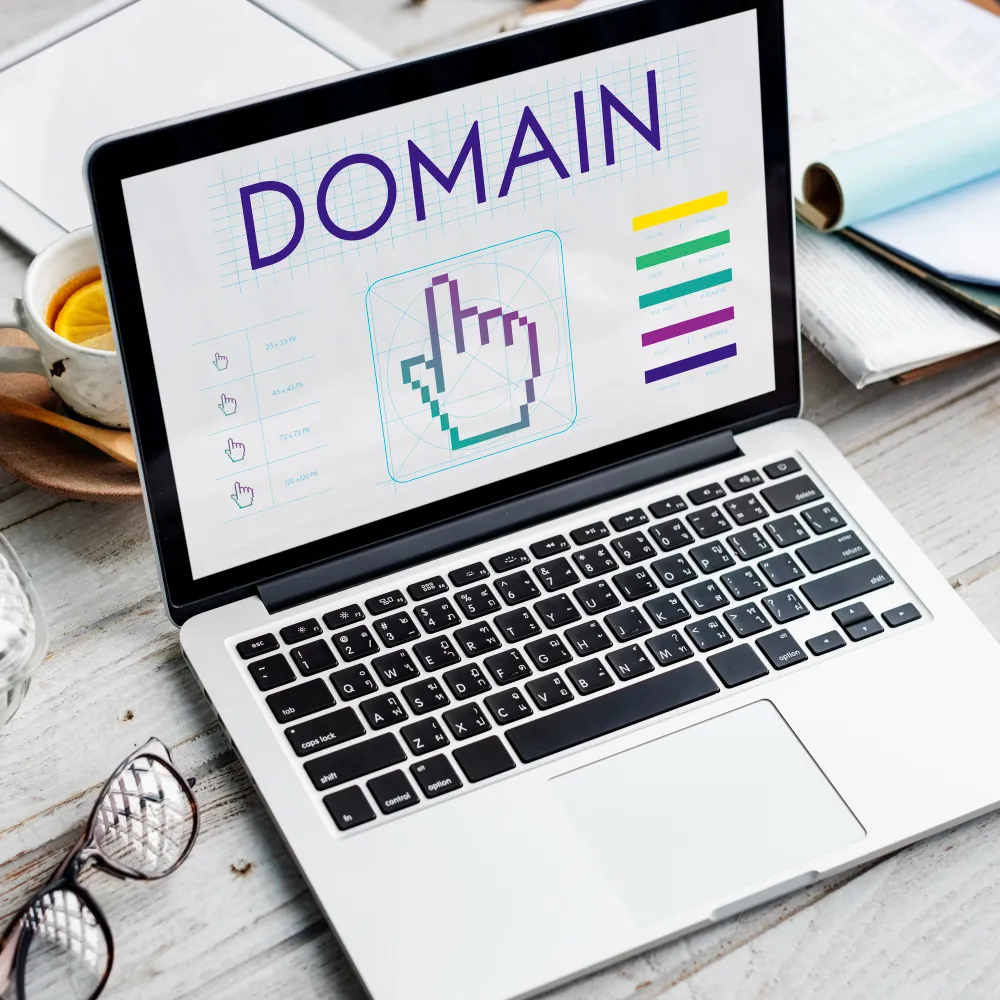
How We Evaluated QR Code Generators with Custom Domain Support
When assessing QR code generators with custom domain capabilities, we focused on features that matter most to businesses. The goal was to identify tools that not only create functional QR codes but also enhance branding, provide flexibility, and deliver actionable insights.
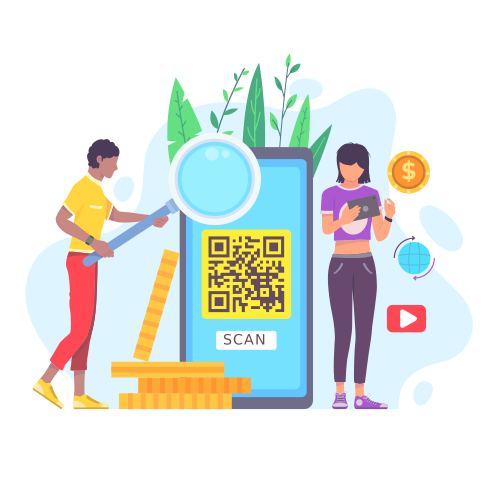
We considered several key criteria:
1. Custom Domain & White-Label Capabilities
- Support for QR code generator use own domain to reinforce brand identity.
- Ability to create white-label solutions for clients or internal teams.
- Custom branding options, including logos, colors, and stylized designs.
2. Analytics and Business Flexibility
- Detailed scan reports and performance tracking.
- Dynamic QR code support to update destinations without reprinting codes.
- Ease of use for marketing teams and agencies, ensuring smooth adoption.
- Compatibility with multiple industries and applications, from retail and tourism to finance and real estate.
By evaluating these aspects, we were able to highlight the generators that provide the most value for businesses looking to combine branding, analytics, and flexibility in their QR code campaigns.
Side-by-Side Comparison of QR Code Generators with Custom Domain Features
|
Tool
|
Custom Domain
|
White Label
|
Dynamic QR
|
Analytics
|
Best For
|
|
ME-QR
|
✅ |
✅
|
✅
|
✅
|
Enterprise, Agencies, SMBs
|
|
QRTRAC
|
✅ |
✅
|
✅
|
✅
|
SMBs, Marketing Teams
|
|
Blinq
|
✅
|
✅
|
✅
|
✅
|
Agencies, E-commerce
|
|
QRLynx
|
✅ | ✅ |
✅
|
✅
|
Businesses, Events
|
|
Hovercode
|
✅
|
✅
|
✅
|
✅
|
Agencies, SMBs
|
|
Scanova
|
✅
|
✅
|
✅
|
✅
|
Enterprises, Marketing Teams
|
|
QRFY
|
✅
|
✅
|
✅
|
✅
|
SMBs, Retail
|
|
QRSurge
|
✅
|
✅
|
✅
|
✅
|
Agencies, Businesses
|
|
SQR
|
✅
|
✅
|
✅
|
✅
|
SMBs, E-commerce
|
|
Yohn.io
|
✅
|
✅
|
✅
|
✅
|
Agencies, Startups
|
|
ZodQR
|
✅
|
✅
|
✅
|
✅
|
SMBs, Marketing Teams
|
Top QR Code Generators with Custom Domain Support
Businesses looking to create professional, branded QR codes often need more than standard tools. Generators that allow QR code generator use own domain offer full control over the URL, strengthen brand recognition, and provide white-label solutions for clients. These platforms combine customization, analytics, and ease of use, making them essential for marketing, e-commerce, real estate, restaurants, and other industries that rely on QR codes for engagement. Below is a summary of the top QR code generators with custom domain support.
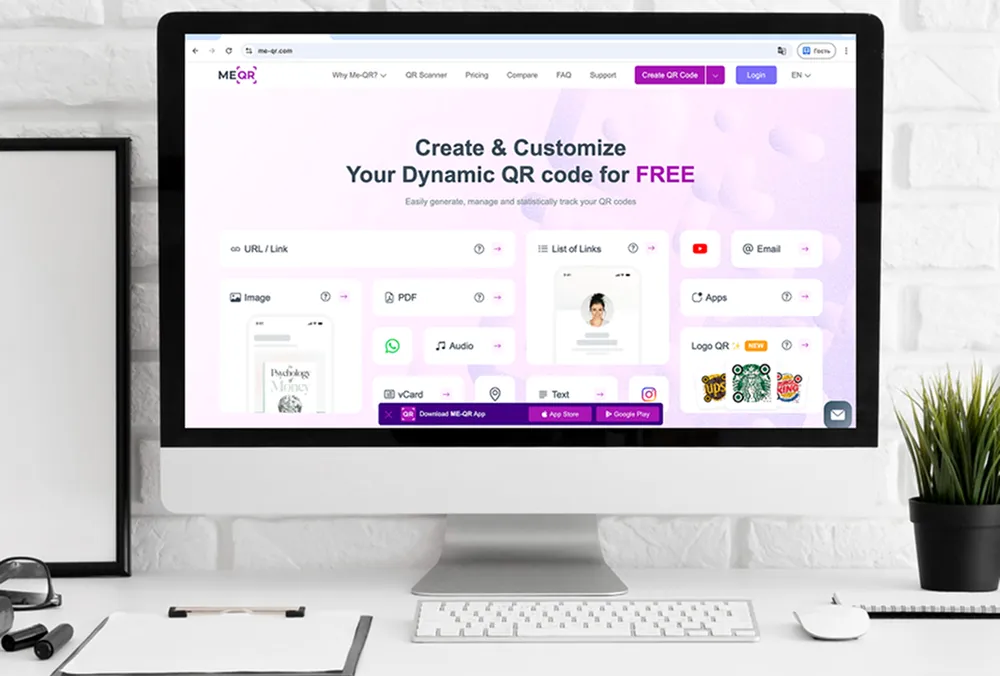
1. ME-QR
ME‑QR is a powerful enterprise‑ready QR code platform designed for businesses that need full control over their scanning experience and branding. It stands out as a top White Label QR code generator because it allows companies to generate QR codes that use their own custom domains, ensuring every link feels native to the brand and not routed through third‑party shorteners.
With ME‑QR, organizations can create fully branded QR codes that reflect their visual identity — from logo integration to color themes and even custom branded QR codes that enhance user trust. This makes it ideal for sectors like ecommerce, hospitality, real estate, healthcare, and finance where brand perception and reliability influence customer engagement.
Key Features:
- Custom domain QR codes for fully branded business link experience
- Dynamic QR codes with editable destinations for flexible campaigns
- Logo placement and color customization to reflect brand identity
- Detailed analytics for measuring scans, locations, and user engagement
Pros: Custom domain QR codes enhance brand recognition and user trust, dynamic updates provide campaign flexibility, White Label support benefits agencies and SaaS companies, and analytics enable strategic decision-making.
Cons: Some advanced branding features are only available on higher-tier plans, and new users of enterprise QR tools may face a learning curve, although onboarding and documentation help mitigate this.

2. QRTRAC
QRTRAC is a versatile QR code generator that supports custom domains and basic White Label options, making it suitable for small to mid-sized businesses. It provides tools for creating dynamic QR codes and tracking engagement across campaigns.
Key Features:
- Custom domain QR codes for fully branded link experience
- Dynamic URLs that can be updated anytime after creation
- Analytics dashboard providing scan insights and engagement trends
Pros: Easy-to-use interface, good for small business campaigns, supports basic branding.
Cons: Limited advanced White Label options, fewer styling and design features.

3. Blinq
Blinq offers simple QR code creation with custom domains and analytics for tracking scans. It is ideal for marketers and businesses looking for quick deployment of branded QR codes.
Key Features:
- Domain QR codes for business branding and marketing campaigns
- Dynamic destinations allowing URL changes without reprinting codes
- Tracking and analytics to monitor scans and user activity
Pros: Fast QR code generation, supports branded URLs, easy to manage campaigns.
Cons: Limited design customization, fewer enterprise features.

4. QRLynx
QRLynx enables businesses to generate QR codes using their own domains, with options for dynamic links and analytics reporting.
Key Features:
- Custom domain support to create brand-specific QR codes
- Dynamic QR codes with editable and redirectable destinations
- Analytics providing insights into scan frequency and location
Pros: Scalable solution, domain QR support, simple analytics.
Cons: Design features are minimal, with fewer White Label options.

5. Hovercode
Hovercode is a QR code platform geared toward agencies and SMBs, offering custom domains and QR tracking.
Key Features:
- Custom domain QR codes to maintain professional branding
- Dynamic links for updating URLs without affecting printed codes
- Analytics for tracking engagement and campaign performance
Pros: Quick setup, intuitive dashboard, supports branded URLs.
Cons: Limited creative QR styling, fewer enterprise integrations.
6. Scanova
Scanova is a robust QR code solution that supports custom domains, dynamic URLs, and team collaboration.
Key Features:
- Domain QR codes to reinforce business brand identity
- Dynamic destinations for flexible and long-term marketing campaigns
- Team accounts enabling collaboration and multi-user management
Pros: Strong analytics and reporting, domain support, scalable for teams.
Cons: Some advanced White Label and design features require higher plans.
7. QRFY
QRFY provides a user-friendly platform for creating custom domain QR codes with analytics.
Key Features:
- Custom domains for creating QR codes aligned with branding
- QR analytics to measure scans, device types, and locations
- Dynamic destinations allowing real-time URL updates after printing
Pros: Simple interface, easy branded QR code creation, analytics included.
Cons: Limited advanced design and White Label options.
8. QRSurge
QRSurge allows businesses to generate QR codes on their own domains and track engagement.
Key Features:
- Custom domain QR codes to ensure brand consistency
- Dynamic QR links that can be changed anytime after creation
- Analytics dashboard tracking scan counts and user engagement trends
Pros: Flexible for marketing campaigns, supports branded URLs.
Cons: Design customization is minimal, advanced features require paid tiers.
9. SQR
SQR offers domain QR codes and dynamic link management for businesses wanting branded solutions.
Key Features:
- Custom domains for branded QR code generation
- Dynamic URLs enabling easy destination updates
- Analytics to monitor scans, locations, and usage patterns
Pros: Simple to set up, supports branded links, tracking available.
Cons: Limited styling and advanced White Label options.
10. Yohn.io
Yohn.io provides custom domain QR code creation with analytics and simple link editing.
Key Features:
- Custom domains to create QR codes for businesses
- Dynamic QR links for editable destination management
- Analytics reporting showing scan statistics and campaign effectiveness
Pros: Fast setup, domain support, easy QR code management.
Cons: Minimal design options, fewer enterprise White Label features.
11. ZodQR
ZodQR supports QR codes on custom domains with dynamic links and analytics.
Key Features:
- Domain QR codes to ensure brand recognition and consistency
- Dynamic destinations allowing modification without reprinting codes
- Analytics providing detailed insights into scan patterns and locations
Pros: Intuitive platform, supports branded URLs, quick deployment.
Cons: Limited creative customization, advanced White Label options are restricted.
Types of QR Codes for Websites and Business
QR codes have evolved far beyond standard black-and-white codes, offering businesses a variety of options to engage customers and simplify access to digital content. Using website URL QR codes, companies can quickly direct users to their sites, landing pages, or specific products without requiring manual typing, making marketing campaigns more seamless.
Business and corporate QR codes serve professional needs, enabling organizations to share contact information, company resources, or service links efficiently. These codes are widely used in brochures, presentations, signage, and events, helping maintain brand consistency and credibility.
Personalized and branded QR codes let companies infuse visual identity into their codes, from logos to branded colors and creative designs. By using custom QR codes, businesses can enhance user trust, improve scan rates, and create a visually compelling experience that aligns with their marketing strategy.
QR Code for Website URL
A website URL QR code allows businesses to quickly direct users to their site without typing the web address. These codes are perfect for marketing campaigns, product packaging, flyers, or digital promotions, providing a fast and seamless way for customers to access your online presence.
Business and Corporate QR Codes
Corporate QR codes are designed for professional use, helping companies share contact details, documents, or links to business services. They enhance brand trust and ensure consistent communication across physical and digital channels, from brochures and presentations to signage and events.
Personalized and Branded QR Codes
Personalized QR codes allow you to incorporate logos, brand colors, and unique design elements, creating a branded experience for your audience. These codes are ideal for businesses looking to reinforce brand identity, improve scan rates, and make their QR codes visually engaging while still fully functional.
How to Create a QR Code with Your Own Domain
Creating a QR code that uses your own domain ensures that every scan feels professional, trustworthy, and fully aligned with your brand. Follow these steps to generate a domain QR code for your website or business:
- Choose a reliable QR code generator that supports custom domains. Look for platforms offering White Label capabilities, dynamic QR codes, and analytics.
- Set up your custom domain. Configure your branded domain so that all QR code links redirect through it instead of generic third-party URLs.
- Enter your destination URL. Input the website address, landing page, or specific business page you want users to access.
- Customize your QR code design. Adjust colors, add your logo, or select a personalized style to make your code visually appealing and on-brand.
- Generate the QR code. Once everything is set, create your QR code generator use own domain output in high-resolution format (PNG, SVG, PDF).
- Test before sharing. Scan the QR code with multiple devices to ensure it redirects correctly and maintains readability.
- Deploy across channels. Add the QR code to brochures, signage, product packaging, websites, or marketing campaigns, making sure it’s easily visible to your audience.
Using a QR code with your own domain not only enhances brand trust but also provides complete control over link management, analytics, and the user experience.
Best Practices for White Label QR Codes
Using a White Label QR code generator effectively requires attention to design, placement, and management. Here are key practices for businesses:
- Maintain Brand Consistency – Always use your logo, brand colors, and fonts in the QR code design to reinforce recognition and trust.
- Leverage a Custom Domain – Generate a domain QR code to ensure links appear native and professional, avoiding generic third-party URLs.
- Use Dynamic QR Codes When Possible – Enable destination updates without changing the QR code itself, ideal for campaigns, seasonal offers, or multiple landing pages.
- Optimize for Scannability – Keep enough contrast between background and code, avoid excessive design elements, and preserve the quiet zone around the QR pattern.
- Track and Analyze Performance – Use analytics to monitor scans, locations, devices, and engagement, which helps adjust marketing strategies.
- Test Across Devices – Ensure QR codes scan reliably on various smartphones, tablets, and QR scanning apps before mass distribution.
- Place Strategically – Position QR codes where users can easily scan, such as product packaging, brochures, signage, business cards, or digital campaigns.
Following these practices ensures your custom branded QR codes are effective, trustworthy, and aligned with your business goals.
White label and custom domain QR codes give businesses full control over branding, link management, and user experience. By using a White Label QR code generator or generating a domain QR code, companies can ensure every scan reinforces brand identity, builds trust, and drives engagement. Whether for small businesses, agencies, or large enterprises, these QR solutions provide flexibility, analytics, and professional design options that standard QR codes cannot match.
Investing in a reliable platform allows you to create dynamic, personalized, and branded QR codes that perform well across physical and digital channels, making them a strategic tool for marketing, e-commerce, corporate communications, and customer engagement.
Frequently Asked Questions about Top QR Code Generators with Custom Domain (White Label) Support
Learn how to set up a QR code generator use own domain so that every scan directs users through your branded URL instead of a third-party shortener.